
Silent Office Mouse Comparison: Best Quiet Mice for Work
By Amara Okoye • 19th Aug

Quick verdict
There is no evidence-based quietest winner here: comparable dBA testing and independent long-day comfort testing are unavailable.
- Choose the M330 SILENT PLUS if: You want a straightforward single-computer mouse with a USB receiver and stated battery life of up to 18 months.
- Choose the MX Master 3S for Business or Pro Click Mini if: You switch between computers: the MX Master 3S for Business supports up to three and adds productivity controls, while the Pro Click Mini supports up to four and offers horizontal scrolling.
- Main trade-off: The MX Master 3S for Business is broad and full-size; the Pro Click Mini is substantially smaller.
Important: The 90% and over-90% Logitech figures are manufacturer claims with different comparison baselines, not independently verified loudness results. The Signature M650 L details below come from a retailer listing and require confirmation against official documentation.
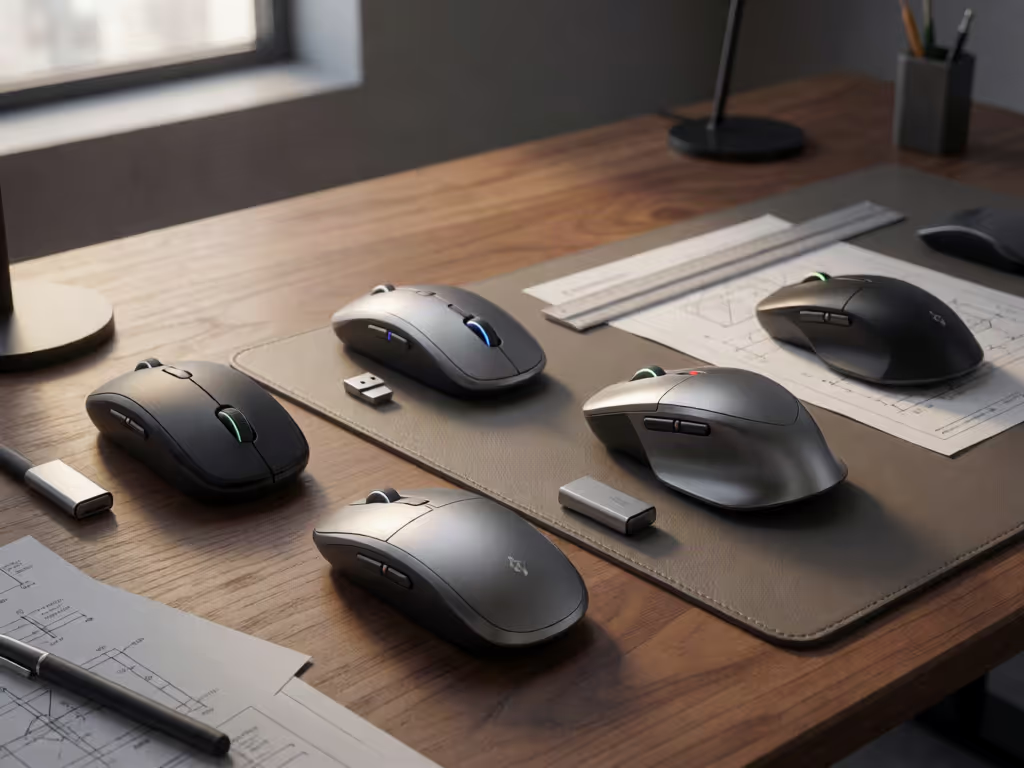
A useful silent office mouse comparison starts with two questions: what sound can your workspace tolerate, and what shell can your hand use without tightening up? The best mouse for office work is not a universal winner. The options below differ more clearly in connection method, device switching, power approach, controls, and shell dimensions than they do in independently measured loudness. There are no comparable dBA click readings available, so no honest comparison can crown one model the quietest.
That distinction matters in an open-plan office, a shared home workspace, or as a low-noise mouse for Zoom calls. Quiet-click claims can narrow the field; fit and workflow decide the final pick. Measure first; the right shape changes everything that follows.
Step 1: Define "silent" correctly
All four mice are positioned around reduced click sound, but the claims are not directly comparable acoustic test results.
- Logitech MX Master 3S for Business: Logitech claims 90% less click noise than the Logitech MX Master 3.
- Logitech M330 SILENT PLUS: Logitech says SilentTouch reduces clicking sounds by over 90%; it does not specify a comparison mouse or an absolute dBA figure.
- Logitech Signature M650 L, model 910-006231: Retailer-published materials state 90% less click noise versus the Logitech M185, with testing at 1 m noted, but no lab report or absolute figure to compare. Confirm the exact product details with Logitech documentation.
- Razer Pro Click Mini: Razer specifies silent mechanical switches, but provides no directly comparable percentage or dBA measurement here.
So, each is a plausible office-friendly mouse acoustics candidate, but "90%" does not mean two Logitech models will sound identical, nor does it establish a ranking against Razer’s silent mechanical switches.
Step 2: Measure your hand and compare shell geometry
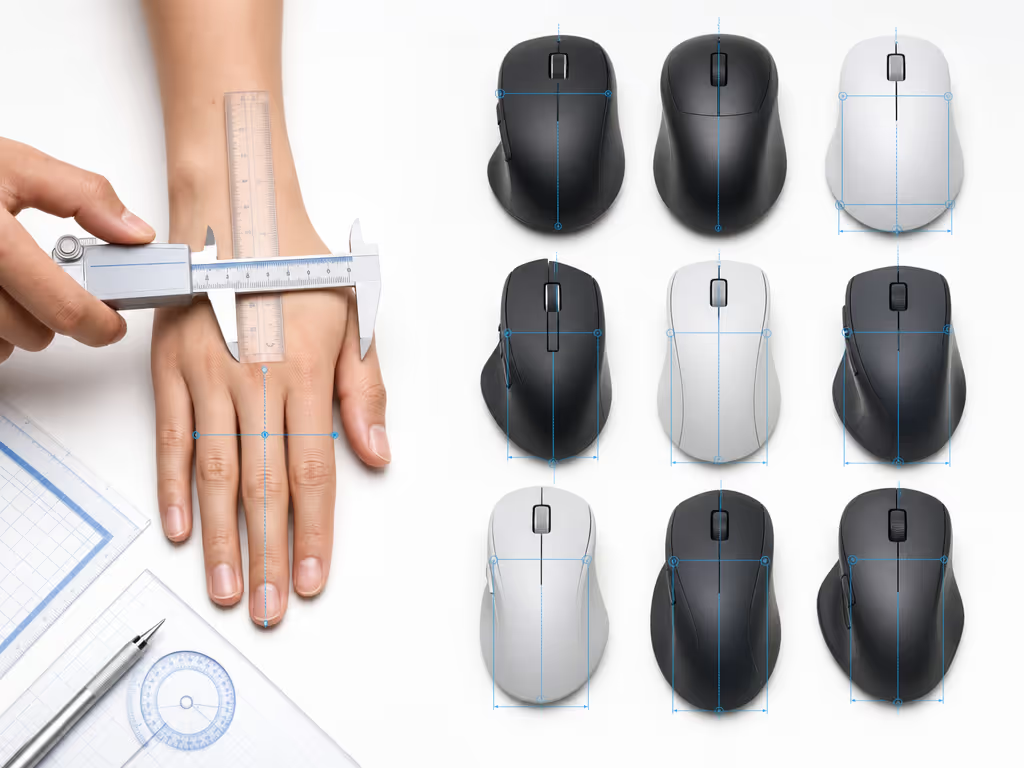
Do not select from a hand photo or a generic "large mouse" label. Use a repeatable protocol:
- Hand length: measure from the wrist crease to the tip of your middle finger.
- Hand width: measure across the knuckles, excluding the thumb.
- Fingertip reach: with your usual grip, note how far your index finger naturally reaches from the rear of your palm contact point.
- Grip observation: identify where contact occurs during normal work, mostly palm, partial palm and fingers, or fingertips.
Then compare those numbers with published shell dimensions where they are available. Dimension alone cannot prove comfort: ergonomic design factors, including hump placement, side contour, thumb support, and button reach, are all consequential. It does, however, rule out some poor bets before you buy.
For this group, two dimensions sets show the scale difference:
| Mouse | Dimensions | What the numbers establish |
|---|---|---|
| MX Master 3S for Business | 124.9 × 84.3 × 51 mm; 141 g | A comparatively broad, tall, full-size shell |
| Razer Pro Click Mini | approximately 100.2 × 62.7 × 34.2 mm | A much shorter, narrower, lower-profile shell |
The MX Master 3S for Business is described by Logitech as a full-size silhouette designed for the palm and easy control access. The M330 has an asymmetric right-hand shape that Logitech says guides the hand into a natural position. A retailer listing for the Signature M650 L, model 910-006231, describes a contoured shape, soft thumb area, and rubber side grips. (These are product-positioning statements, not proof of all-day comfort; confirm the M650 L listing details with Logitech documentation.)
My own medium-small hands lean me toward narrow, ambidextrous forms, so I am especially cautious about recommending a broad, sculpted shell without measurements. If a mouse creates thumb stretching, finger extension to reach buttons, wrist tension, or numbness, treat that report as decisive. A quiet switch cannot rescue a shell you must grip too hard.
Step 3: Match connectivity to the desk you actually use
The easiest way to reduce workflow friction is to count computers and available ports before comparing features.
One computer, simple receiver setup: M330 SILENT PLUS
The Logitech M330 SILENT PLUS is the straightforward choice in this set. It uses a plug-and-play USB receiver, with an operating distance of up to 10 m / 33 ft depending on the setup. Logitech documents no Bluetooth or multi-device switching for this model. Its stated battery life is up to 18 months, aided by an on/off switch and auto-sleep.
This is the cleanest route if your priority is a simple, quiet-click wireless mouse for one computer and you do not need device hopping or an elaborate control layout.
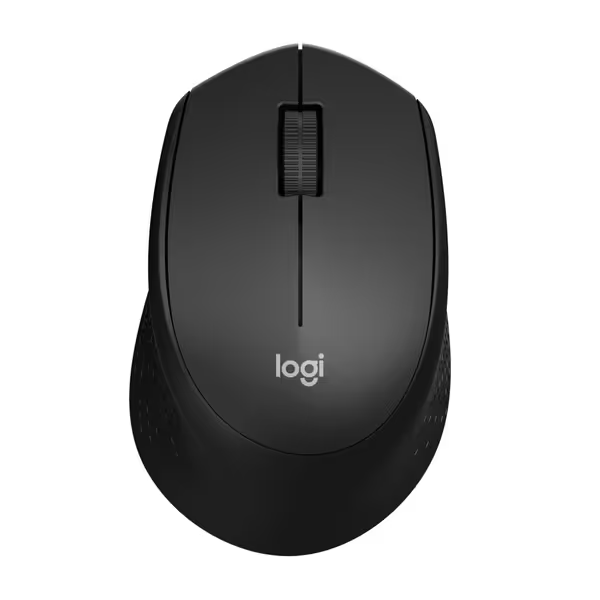
Logitech M330 Silent Plus Wireless Mouse
Silent, comfortable, and long-lasting for focused, pain-free work.
$17.99
Click Noise Reduction90%+ Quieter
Click Noise Reduction90%+ Quieter
Pros
Ultra-quiet clicks for distraction-free work.
Ergonomic, contoured design prevents hand fatigue.
Cons
Side grip may feel less secure for some users.
Customers praise its silent operation, comfortable fit, and good battery life for everyday use.
Customers praise its silent operation, comfortable fit, and good battery life for everyday use.
Multiple computers: MX Master 3S for Business or Pro Click Mini
The Logitech MX Master 3S for Business supports Easy-Switch across up to three computers and uses Bluetooth Low Energy 5.0+ or a Logi Bolt USB receiver. It has a rechargeable 500 mAh Li-Po battery. Do not assume the business-edition receiver details apply to the matching consumer MX Master 3S Bluetooth Edition: that configuration is receiver-free.
The Razer Pro Click Mini supports a multi-host connection for up to four devices and offers both a Razer HyperSpeed 2.4 GHz dongle and Bluetooth. It runs on one or two alkaline AA batteries. Razer lists maximum battery figures of up to 725 hours over Bluetooth and up to 465 hours over 2.4 GHz, with the displayed maximums based on two AA alkaline batteries and continuous movement.
For a laptop-plus-desktop-plus-tablet workflow, count devices first. For more guidance on switching between computers, see this multi-device mouse comparison. Up to three can point you toward the MX Master 3S for Business; a fourth host makes the Pro Click Mini the option here that supports four.
Bluetooth plus receiver flexibility: Signature M650 L listing, with a caveat
A retailer listing identifies the Logitech Signature M650 L, model 910-006231, as a full-size right-handed wireless mouse with silent clicks. Its listed details include Bluetooth Low Energy and a Logi Bolt USB receiver, plus up to 24 months on one included AA battery, subject to use and computing conditions.
That retailer-listed feature set may be relevant for someone who wants both connection types and a full-size right-handed form. However, confirm the exact product and specifications against Logitech documentation before purchase.
Step 4: Choose controls for documents, timelines, and large sheets
A mouse can be quiet and still add friction if its scrolling and shortcut controls do not match your work.
MX Master 3S for control-heavy productivity
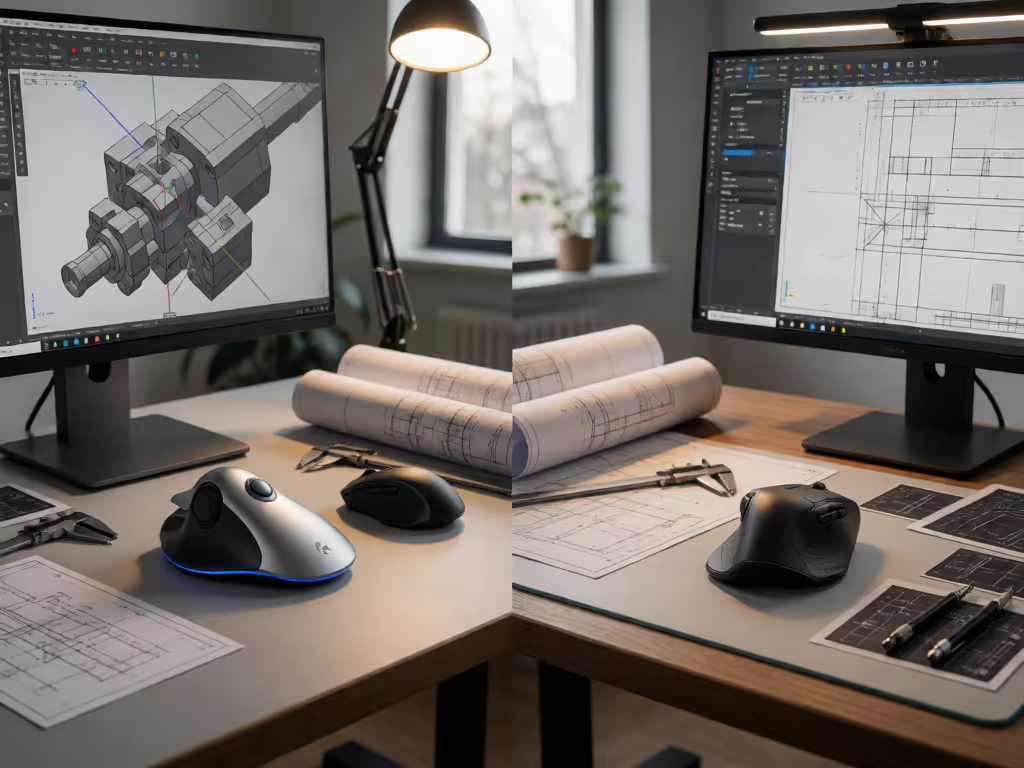
Logitech specifies seven buttons, a MagSpeed scroll wheel, a thumb wheel, and a gesture button on the MX Master 3S for Business. That is the richest control set here for users who routinely navigate long documents or want dedicated controls beyond left/right click. If you want to configure those buttons for a more efficient office workflow, explore this productivity mouse software guide.

Logitech MX Master 3S Bluetooth Mouse
Ergonomic, precise, and quiet for all-day workflow mastery.
$79.99
DPI8000
DPI8000
Pros
Ergonomic design reduces strain and enhances comfort.
Tracks on any surface, even glass, with 8K DPI sensor.
Cons
No USB receiver included (Bluetooth only).
Customers find this mouse to be a great work tool with a comfortable grip, smooth scrolling, and fantastic battery life that can go weeks without charging. They appreciate its customizable features, with many buttons and gestures that can be programmed. The functionality and scrolling speed receive mixed reviews - while some say it functions well, others report issues with the scroll wheel stopping working. The value for money is also mixed, with some finding it worth the price while others consider it expensive.
Customers find this mouse to be a great work tool with a comfortable grip, smooth scrolling, and fantastic battery life that can go weeks without charging. They appreciate its customizable features, with many buttons and gestures that can be programmed. The functionality and scrolling speed receive mixed reviews - while some say it functions well, others report issues with the scroll wheel stopping working. The value for money is also mixed, with some finding it worth the price while others consider it expensive.
Pro Click Mini for horizontal navigation and compact geometry
The Razer Pro Click Mini has seven independently programmable buttons and a 4-way HyperScroll Tilt Wheel. Its wheel has free-spin and tactile modes, while the tilt click provides horizontal scrolling. That is a concrete fit for wide spreadsheets and horizontally arranged timelines (provided its compact 100.2 mm length and 62.7 mm width agree with your measurements and grip).
M330 SILENT PLUS for minimal setup
The M330’s value proposition is intentionally simpler: USB-receiver wireless, quiet-click positioning, and long stated battery life. Choose it when reduced operational complexity matters more than multi-device control or expanded wheel functions.
Step 5: Use this feature-based shortlist
Here is the defensible decision path (not a claim that one mouse is objectively best for every office).
| If your priority is… | Start with… | Why it fits the brief |
|---|---|---|
| A simple single-computer quiet mouse | M330 SILENT PLUS | USB receiver, SilentTouch claim, and up to 18-month stated battery life |
| Three-computer switching and extensive productivity controls | MX Master 3S for Business | Up to three computers, Bluetooth/Logi Bolt, seven buttons, thumb wheel, gesture button |
| Four-device switching, a compact shell, and horizontal scrolling | Razer Pro Click Mini | Up to four devices, Bluetooth plus 2.4 GHz, 4-way tilt wheel, seven programmable buttons |
| Full-size right-handed shape with Bluetooth and receiver options | Signature M650 L, model 910-006231 | Retailer-listed Bluetooth LE/Logi Bolt and 24-month battery claim; confirm the exact product details with Logitech documentation before purchase |
The phrase top wireless mouse only becomes meaningful after this filtering. A receiver-only model may be top for a fixed desktop. A Bluetooth-and-dongle model may be top for a mobile, multi-device desk. Neither is automatically better when the underlying workflow differs.
Step 6: Run a low-risk first-week check
Once the mouse arrives, evaluate it in the work conditions that prompted the purchase (not only in the first five comfortable minutes).
- Use your normal spreadsheet, writing, design, or meeting day.
- Check whether your index and middle fingers land naturally on the click zones.
- Check thumb-button reach without shifting your grip.
- Listen during a real call or in the room where coworkers share sound.
- Note whether scrolling, horizontal navigation, and switching devices reduce steps rather than create them.
- Stop and reassess if discomfort appears or increases. If discomfort persists, compare these ergonomic office solutions for wrist pain before committing to another mouse.
This is where many review-chasing cycles end. I once kept changing mice until I compared my hand length, width, and fingertip reach with shell size and hump placement; the first shape that actually matched became nearly invisible during work. Relaxed grip pressure and easier micro-corrections came before any attention to extra features.
The practical conclusion
For the best silent click mouse, do not confuse marketing percentages with a measured loudness leaderboard. The MX Master 3S for Business, M330 SILENT PLUS, retailer-listed Signature M650 L model 910-006231, and Pro Click Mini each target quiet-click or silent-switch design, but this evidence does not establish which is quietest in dBA or most comfortable over a long day.
Instead, make the purchase in order: fit, device count, connection method, controls, then quiet-click claim. The M330 is the simple one-device option; the MX Master 3S for Business emphasizes three-device productivity controls; the Pro Click Mini brings four-device capacity and a tilt wheel in a notably smaller shell; and the M650 L retailer listing is worth confirming against Logitech documentation if its stated Bluetooth/receiver combination suits your plan.
For further exploration, put your three hand measurements beside the dimensions above, map your most repeated tasks to the available controls, and verify the exact edition and included connectivity before ordering. That short exercise is more useful than a universal ranking, and far more likely to give you a mouse you stop noticing mid-project.
Related Articles