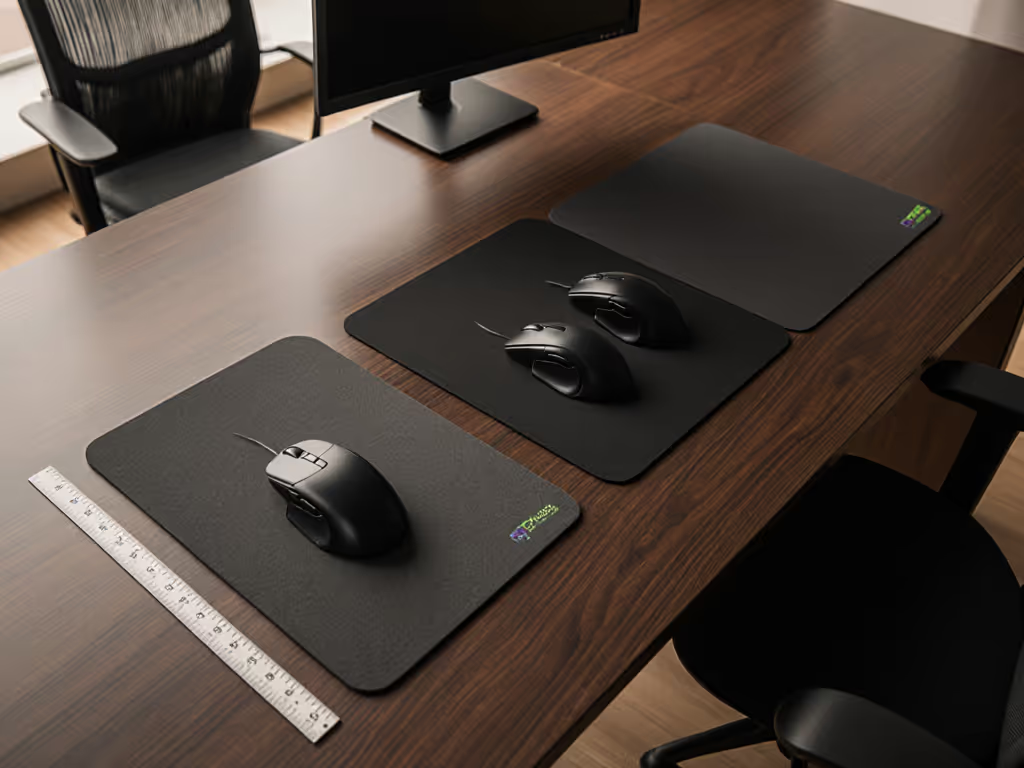

Mouse Pad Size Guide for Ergonomic Desk and Stable Tracking
By Amara Okoye • 21st Sep
What to do
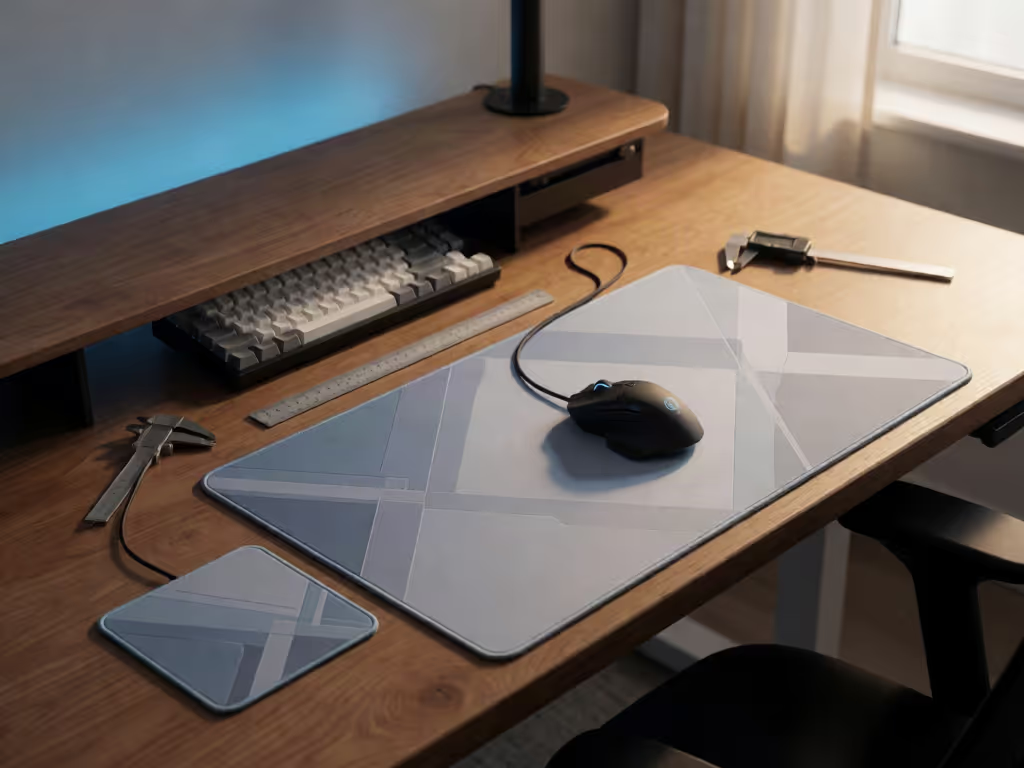
Choose a mouse pad by usable movement, not by Small, Large, or XL labels. Arrange the keyboard and mouse first, keep the mouse within easy reach, then select a footprint that contains your normal travel at your chosen sensitivity while preserving a neutral wrist and forearm position.
- Start with: Place the keyboard and mouse on the same surface, close to the body, with wrists straight and upper arms relaxed.
- Then: Observe ordinary work or gaming movements and compare that zone with the pad’s listed width and depth, leaving room before the edge.
- Important prerequisite: Treat seller size labels as seller-specific and compare their listed width and depth.
A useful mouse pad size guide begins with workstation geometry, not a seller's Small, Large, or XL label. The right office mouse pad gives your mouse enough usable travel while it remains close to your body, on the same surface as the keyboard, and easy to reach. That combination supports a neutral working position; a large rectangle alone does not determine whether the mouse remains reachable or whether its usable area matches your movement needs.
The decision is best treated as a fit problem: set the keyboard and mouse position first, then select the pad footprint that contains your normal movement range at your chosen sensitivity. Measure first; the right shape changes everything that follows.
FAQ: What size mouse pad do I need?
Choose a pad that keeps your mouse on the mouse pad throughout your usual work or play without requiring you to stretch toward it, reach far to the side of the keyboard, or repeatedly hit an edge.
That answer is deliberately individualized. "Optimal mouse pad dimensions" depend on three variables:
- Reachable placement: The mouse should sit within easy reach and on the same surface as the keyboard. If the keyboard is positioned correctly but the mousing area pushes the mouse outward, the setup is not ergonomically solved.
- Your normal movement range: The pad needs to contain the travel you actually use (not an imagined amount of room).
- Sensitivity: At higher sensitivity, the cursor travels farther for the same physical mouse movement. At lower sensitivity, it travels less far, so more physical mousing room may be needed for the same on-screen distance.
The resulting rule is simple: buy enough usable area to preserve free, controlled movement in your current layout and sensitivity. Compare actual dimensions rather than assuming a named size means the same thing across sellers.
A pad fits when it provides enough usable area for your normal travel at your chosen sensitivity while the mouse remains within easy reach and beside the keyboard.
FAQ: Why does pad size matter for ergonomics?
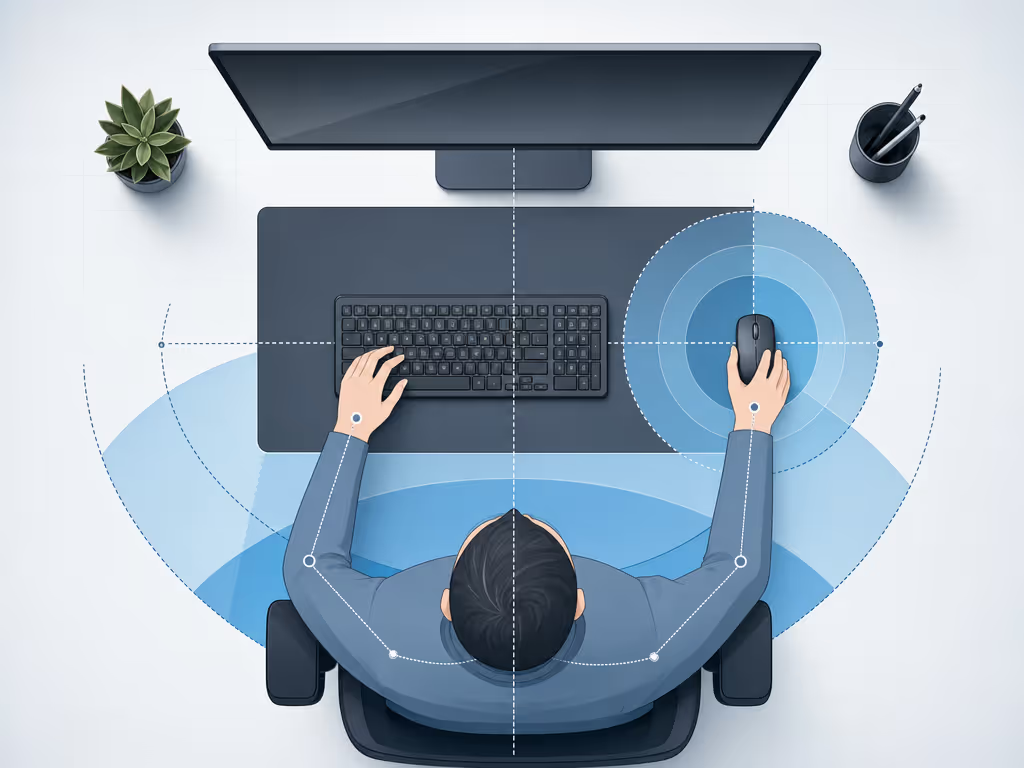
Pad size matters indirectly through placement and freedom of movement. Good workstation guidance places the mouse within easy reach, keeps wrists straight, holds upper arms close to the body, and positions hands at or slightly below elbow level. Controlled movement should come from the elbow as a pivot point while the wrist remains straight and neutral.
A pad should provide enough usable area for your normal travel so your movements remain on the mousing surface. Conversely, an oversized pad is not automatically more ergonomic if its footprint causes the mouse to sit too far from the keyboard or body.
What does "ergonomic mouse pad height" mean?
For practical setup, translate the phrase ergonomic mouse pad height into a check of the height relationship among your mousing hand, elbow, and keyboard. The target is a working position in which your hands are at or slightly below elbow level, your wrist is straight, and your shoulders can remain relaxed.
First adjust chair, desk, keyboard, and mouse location. Keep the mouse within easy reach and avoid stretching toward it or placing it far to the side of the keyboard before evaluating the pad's footprint.
FAQ: How do I find my required mousing area without guessing?
Use this repeatable protocol. It is more reliable than choosing by desk size, hand photos, or marketing labels.
1. Establish the keyboard-and-mouse zone
Sit in your normal working position. Put the keyboard in front of you, then place the mouse beside it on the same surface. Relax the upper arm near the body. If you must reach outward or forward to grasp the mouse, correct the layout before evaluating any pad.
2. Confirm neutral movement mechanics
Move through ordinary tasks while keeping the wrist as straight and neutral as possible. Let the elbow guide controlled movement rather than anchoring the wrist and sweeping only from the hand. Notice whether desk objects, the keyboard, or the pad boundary restrict the forearm, hand, or mouse.
3. Map real travel, not category assumptions
Perform the tasks that occupy most of your day:
- Navigate across your usual display arrangement.
- Make a few precise selections or edits.
- Move through your common game motions, if applicable.
- Repeat the movements that normally cause you to reach an edge.
The area traced by those motions is the area the pad needs to contain. Keep clearance around that working zone so normal movement does not end exactly at the edge.
4. Recheck after sensitivity changes
Sensitivity and pad size are linked through physical travel. Lower sensitivity means the cursor moves less far for a given hand movement; higher sensitivity means it moves farther. Logitech notes that lower sensitivity can help with precise cursor movement, while higher sensitivity can reduce the effort required to traverse several screens. Neither setting is universally best.
If you substantially change sensitivity, repeat the movement check. Do not force an unfamiliar sensitivity merely to make an existing pad seem adequate. Fit unlocks performance, but only after your posture and movement space are working together.
FAQ: Is a bigger mouse pad better for gaming, office work, or hybrid use?
Not categorically. A larger format provides more potential travel room, but potential is not the same as a requirement.
For a low-sensitivity player or anyone making broad cursor movements, additional usable area may be appropriate if it remains reachable. For an office workflow using higher sensitivity and shorter movements, a compact footprint may be sufficient if it leaves the mouse beside the keyboard and permits unrestricted forearm movement. Hybrid users should size for the task with the larger normal travel requirement, then verify that the whole mouse zone still sits comfortably within reach.
Avoid universal rules such as "gamers need XL" or "office work needs small." The available evidence does not support universal numeric pad dimensions assigned to those use cases. It also does not test whether a larger pad itself improves optical-sensor tracking, stops sliding, or reduces injury risk. Stable tracking in this guide means maintaining consistent, unobstructed mouse travel on the chosen mousing surface (not promising a sensor-performance upgrade).
FAQ: Is a desk mat better than a mouse pad?
Neither is inherently better. The useful distinction is footprint: desk mats are generally larger than mouse pads and may cover a large portion, or sometimes all, of a desk.
Choose based on layout and the usable area you need for normal mouse travel. Compare the listed dimensions of either option with the space required by your keyboard, mouse placement, and movement range.
The deciding test remains identical: can the mouse mat and mouse arrangement provide adequate usable movement while preserving an easy reach and neutral wrist/forearm posture? If not, reassess the arrangement and mouse placement before choosing by footprint alone.
FAQ: Are mouse-pad size labels standardized?
The available guidance does not establish standardized industry dimensions for seller labels such as Small, Medium, Large, XL, or XXL. Treat them as seller-specific descriptions and compare the listed width and depth instead.
One published size guide describes 900 × 400 mm (equivalent to 90 × 40 cm or about 35.4 × 15.7 inches) as an "extended" format. That is a useful reference for visualizing a wide keyboard-and-mouse footprint, but it is one publisher's illustrative label rather than an industry standard or a default recommendation for every desk.
How big is a 90 × 40 mouse pad?
It is 90 cm wide and 40 cm deep (900 × 400 mm, approximately 35.4 × 15.7 inches). Whether it fits you depends on where it places the keyboard and mouse, how much mousing travel you use, and whether the resulting mouse position remains easy to reach.
What is a "normal" mouse mat size?
The available evidence does not provide an authoritative definition of a normal mouse-mat size. Compact pads, larger mouse-focused pads, extended formats, and desk mats all exist, but their names and dimensions vary by seller. Compare the actual usable surface with your measured movement zone instead.
Further exploration: make the final check at your desk
Before purchasing, sketch the keyboard and mouse positions on your desk or mark your current movement range during a typical session. Then compare that footprint (not the marketing label) to the listed dimensions of the candidate pad.
I learned the same measurement-first lesson after spending too long switching mice according to reviews: when hand dimensions, reach, and shell geometry finally matched, the device stopped demanding attention. Apply that discipline here. Arrange the workstation, observe the travel, and select the smallest footprint that fully supports it (or the larger one only when your real movement range calls for it). That is the durable route to a stable, ergonomic mousing setup.
Related Articles